
Table of Contents
Exporting Notes
Documents on the reMarkable can be exported to PDF, PNG and SVG through the “send files via email” feature on the reMarkable tablet itself or through the reMarkable Client.
3rd party applications like rmapi can also export files to PDF, but are not as feature complete as the solution provided by reMarkable.
PNG
If one wants documents looking exactly like on the reMarkable tablet, PNG is preferable. Note that this also means it contains the flaws of looking exactly like on the reMarkable tablet.
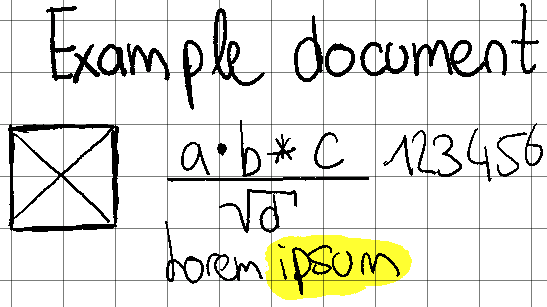
While PNGs are (compressed) raster images and get displayed the same way regardless of the image viewer, PDFs are a bit more complicated.
PDF documents exported through the desktop application aren't much different from the ones exported from the reMarkable. 1)
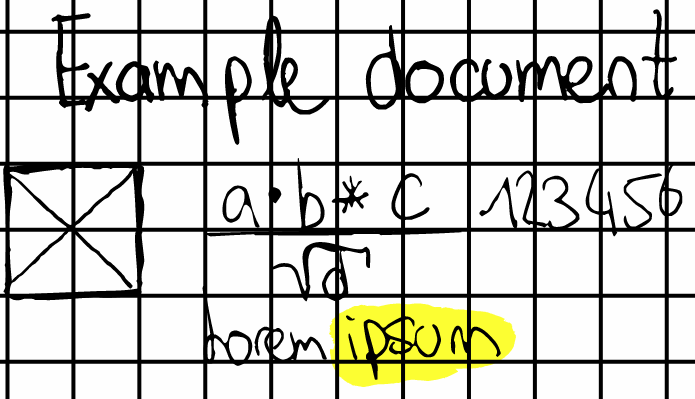
One might think that documents with templates exported by reMarkable products are rubbish, but it is most likely due to the specific document viewer used, and how it interprets and displays documents.
This kind of issue is most visible with the small grid template and Firefox 92: 2)
Document viewers
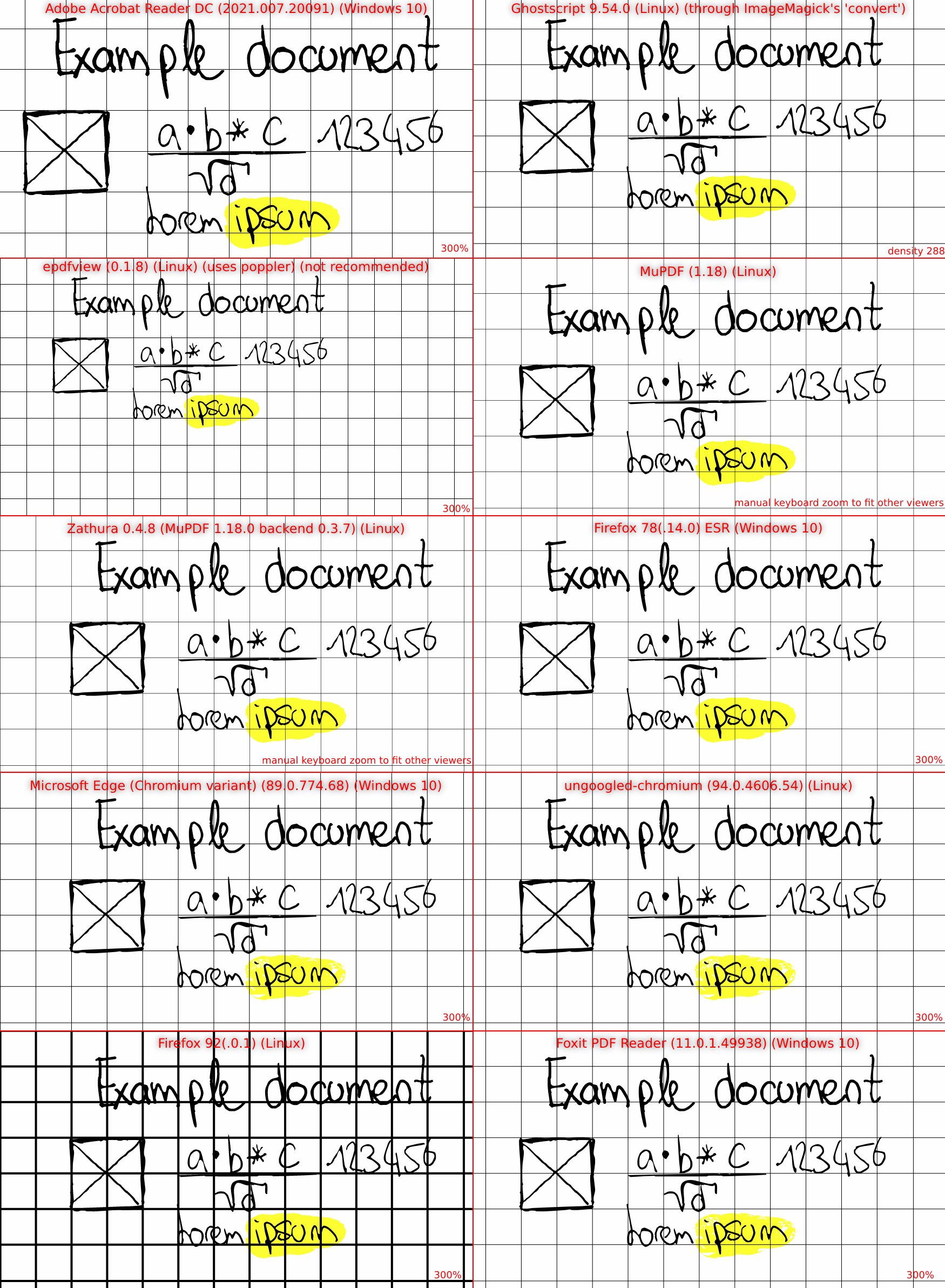
Document viewers that are known to have acceptable results are:
- Adobe Acrobat Reader DC (2021.007.20091) (Windows 10)
- epdfview (0.1.8) (Linux) (uses poppler) (not recommended)3)
- MuPDF (1.18) (Linux)
- Ghostscript (9.54.0) (Linux)
- Foxit PDF Reader (11.0.1.49938) (Windows 10)
- zathura with MuPDF backend (1.18) (Linux)
- Microsoft Edge (Chromium variant) (89.0.774.68) (Windows 10)
- ungoogled-chromium (94.0.4606.54) (Linux)
- Firefox 78(.14.0) ESR (Windows 10)
Tested versions and OSes are specified for sake of accuracy.
Comparison
It is preferable to view it at a pixel to pixel (1:1) size (not zoomed in). 4)
If enough width is available, the browser should display it at 1:1 on this page.
1)
This needs confirming: They seem to look the same, but have a different hash. Same for PNG. SVG untested.
2)
From testing by one user. More templates could be tested.
3)
Last release is from May 2011, uses GTK2, can't zoom very far in.
4)
note that browsers usually display images as either 1:1 if smaller than the available area's resolution, or scaled to fit the screen area if bigger